Case Study
AI Design Brain CMS
An internal CMS where in-house designers and a ten-agent AI pipeline take a Master app thumbnail from brief to approval in one shared workspace — designed by the same designer who architected the brain behind it.
Client
Role
Timeline
Industry
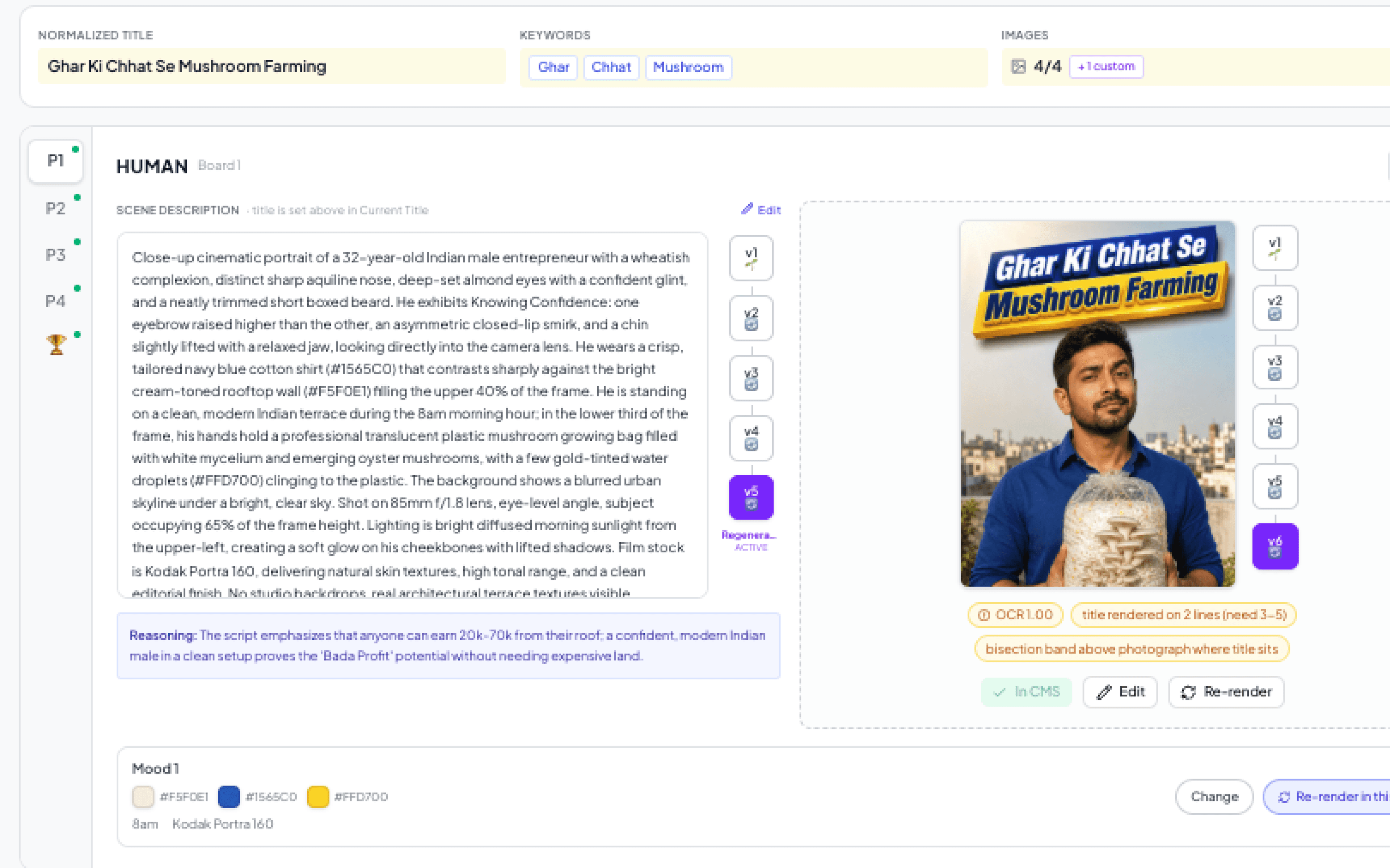
Eloelo's thumbnail team had a problem shaped like every creative team's problem: the work lived in one place, the tracking in another, the feedback in a third. And the most powerful tool they had — a multi-agent AI pipeline that could research, write, and render thumbnails — ran through files and terminal commands, invisible to the designers it was built for.
AI Design Brain CMS is the answer: one workspace where in-house designers and a ten-agent AI pipeline move a Master app thumbnail from brief → research → design → approval → archive together. I designed both sides — the interface designers touch, and the agent architecture behind it.
10+
Specialized AI agents
5
Variants per episode (P1–P5)
3
Creative modes per title
7
Mood boards per series
The Challenge
Before the CMS, one thumbnail's journey crossed three disconnected tools:
- Google Sheets tracked which videos needed thumbnails, statuses, and designer assignments
- Google Drive held scripts, references, and finished thumbnails
- Whatsapp threads carried feedback and approvals
- The AI pipeline ran through files and terminal commands — unusable for designers
The AI and the humans needed the same workspace. Not “AI generates, human reviews somewhere else” — one surface where either can pick up where the other left off.
One Workspace, Four Modules
The product surface is four modules: Dashboard for daily operations, Design for the actual work, Approval for feedback, and Library for series memory. Underneath sits a simple mental model: a Series has Episodes; an Episode has a video and a thumbnail set (P1–P5 plus a submit bucket); every thumbnail has iterations.
Dashboard
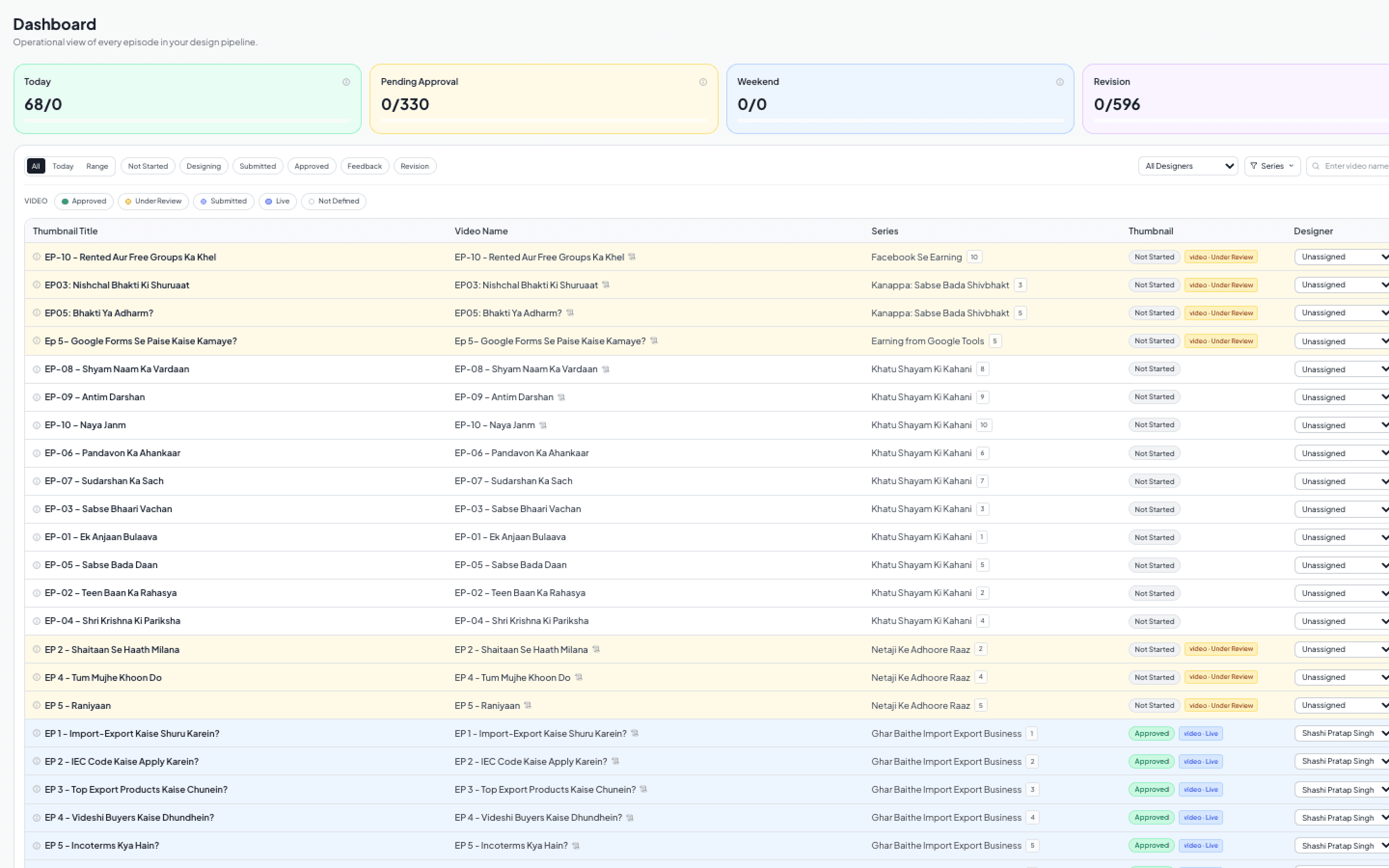
A one-page operational overview: four KPI metrics (designed today, pending approval, weekend rush, revisions needed) over an episode table with date markers, status filters, and global search. Two parallel status systems run through it — video status drives row color, thumbnail status drives card outlines — tracked live from designer activity.
Design — the core surface
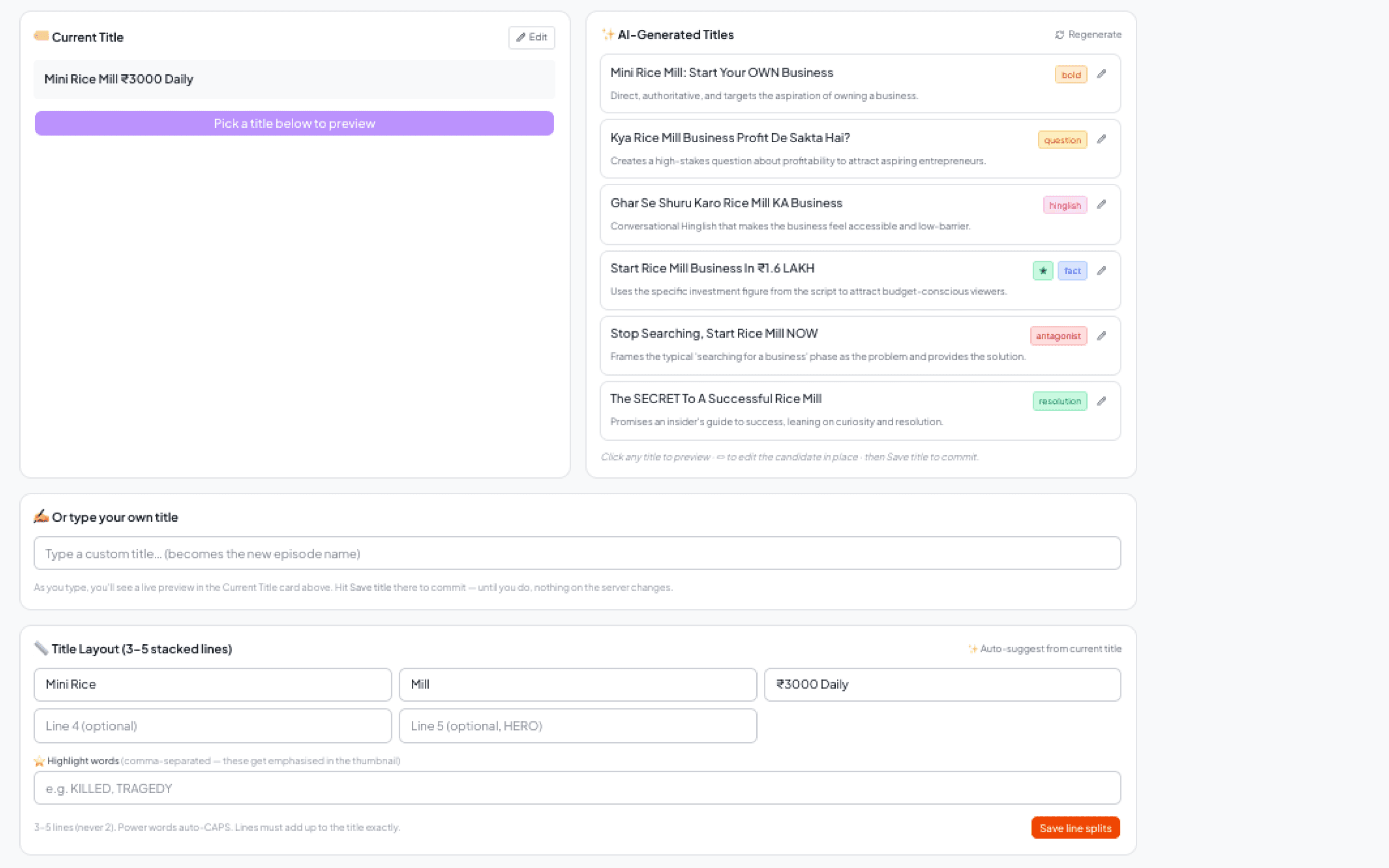
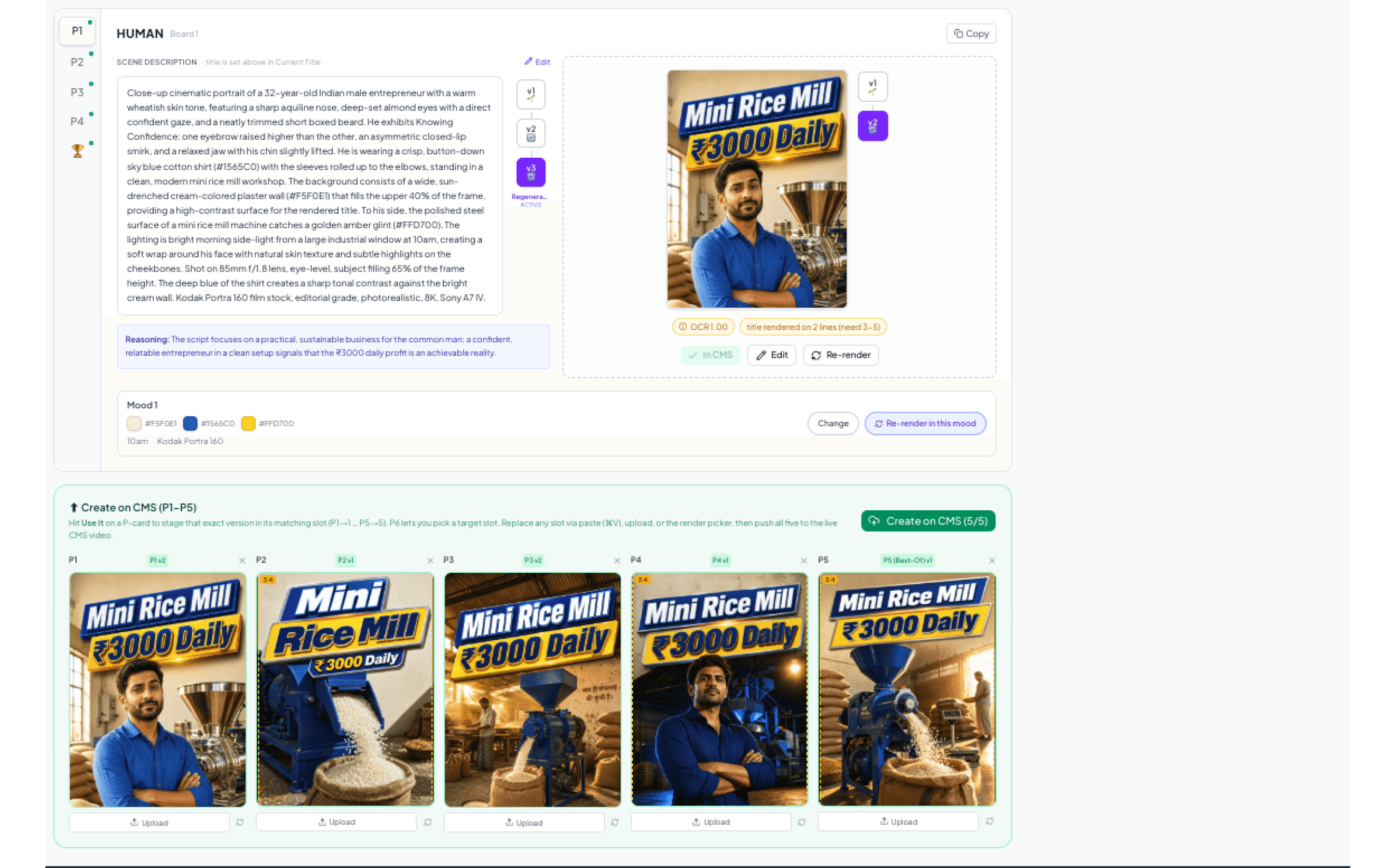
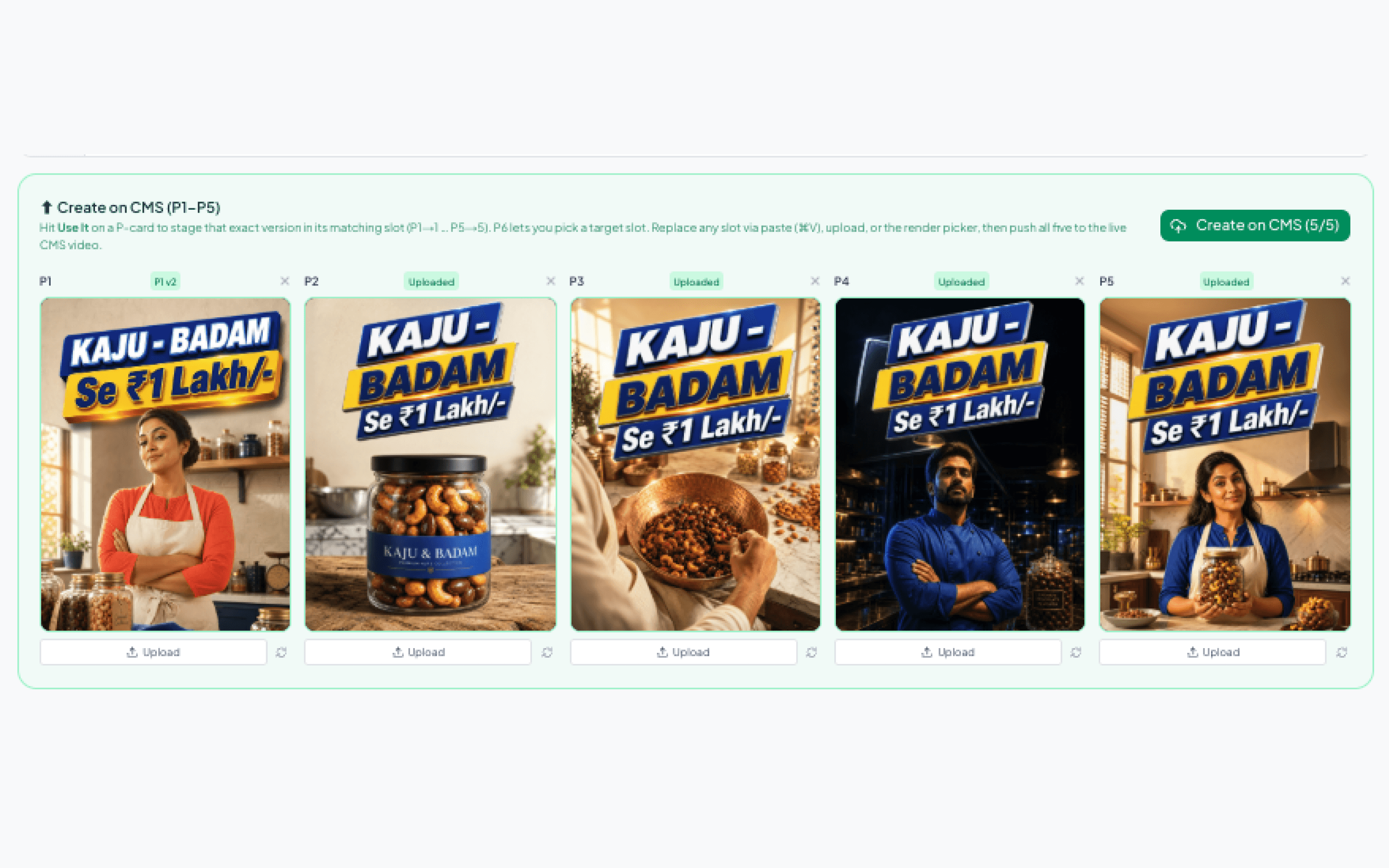
Stage 1 is the brief: video, series, full script, creative mode, and the Title Composer — where the Title Agent's five candidates arrive pre-scored, the chosen title locks, and the Title Splitter breaks it into on-image lines. Stage 2 expands into the full workspace: five prompt cards (P1–P5) with editable prompt text and an editable mood board per variant — a designer can shift P2 from dark-teal night to warm golden-hour by swapping just its board. Chosen images move to the Submit Bucket, then to approval.
Approval & Library
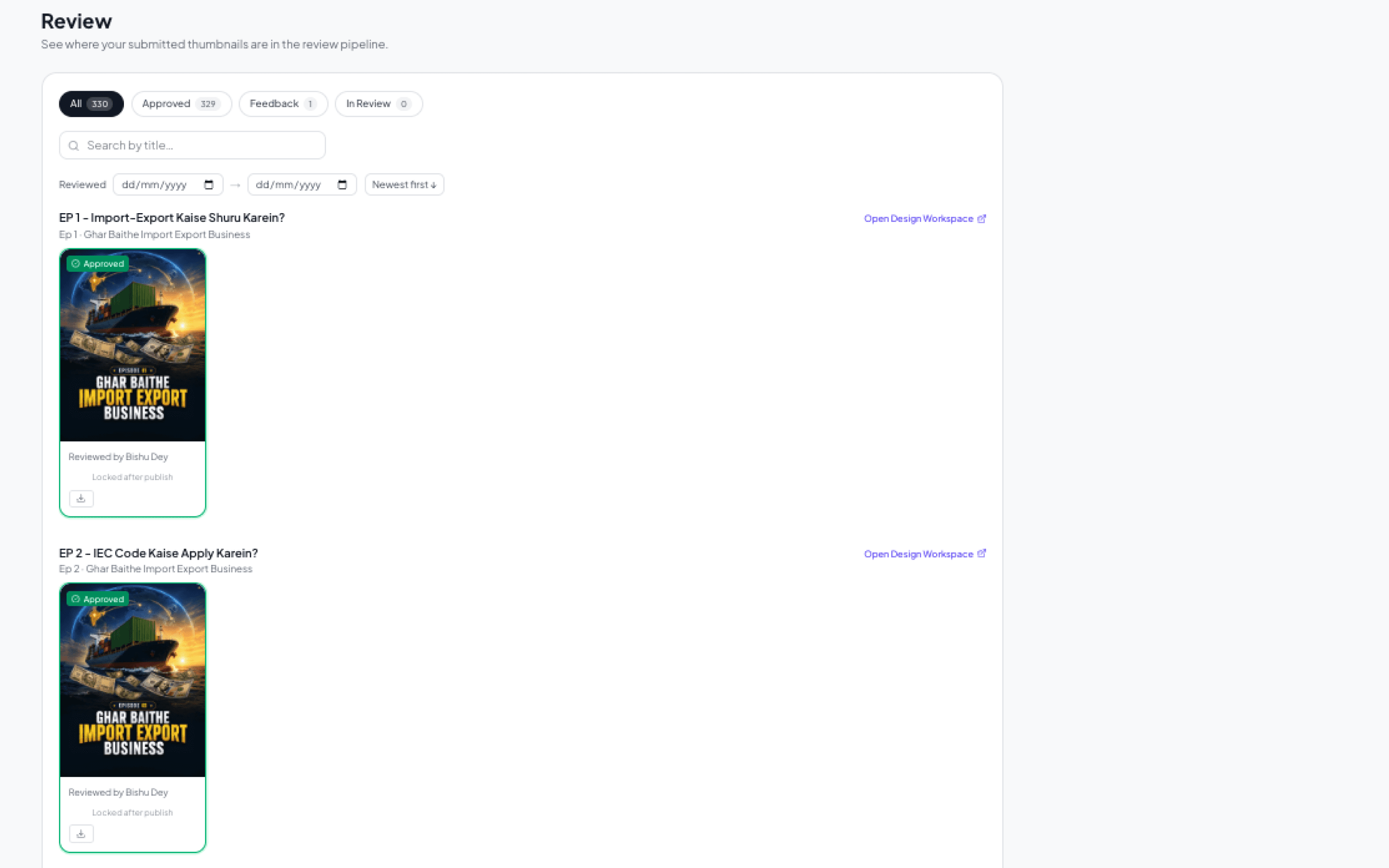
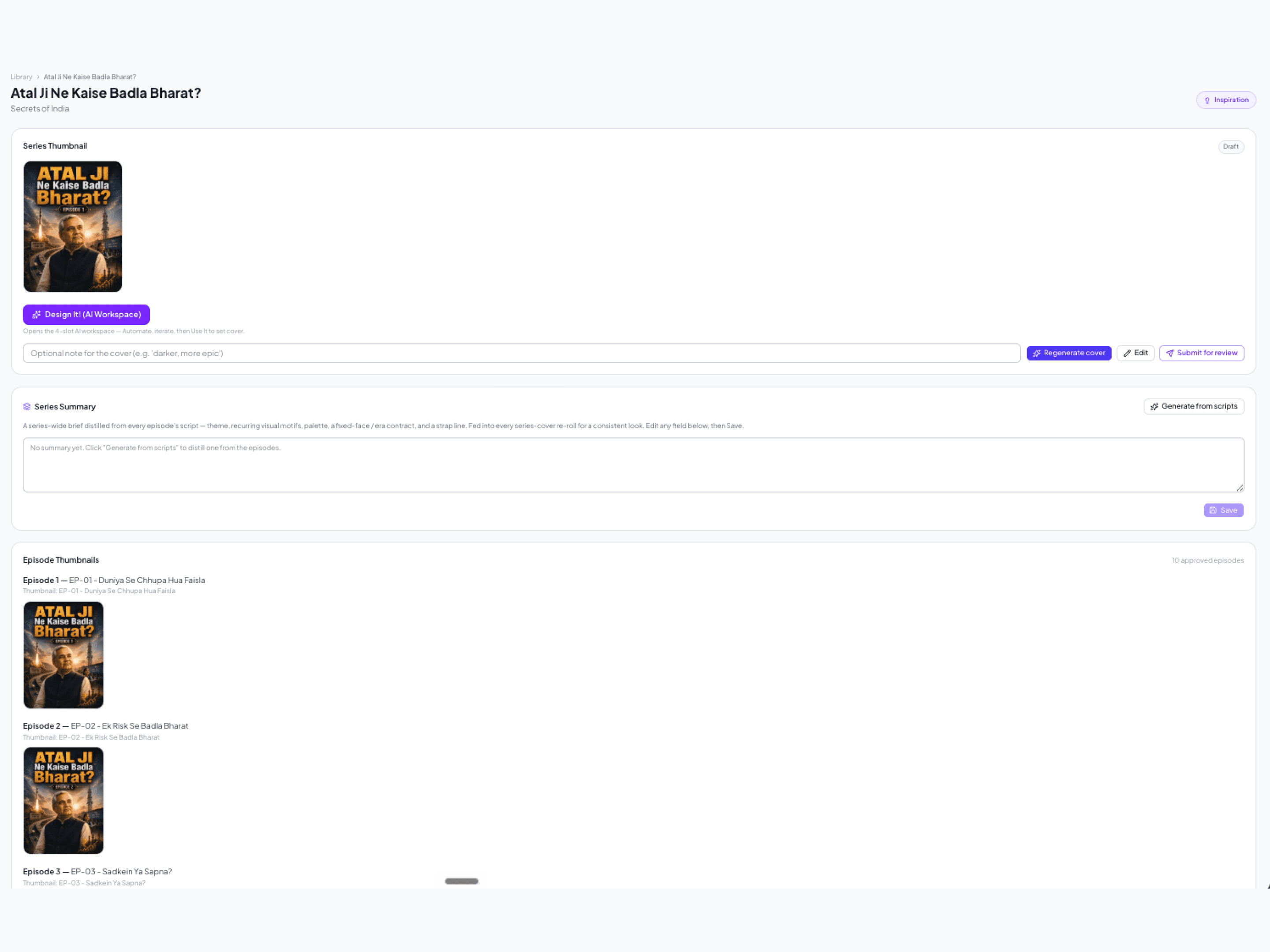
Approval is the designer's feedback inbox — every submitted episode grouped by series with status outlines, feedback, and one-click return to the workspace for revision. Library is the memory: active series, per-series pages with approved thumbnails, a dedicated Series Thumbnail workspace fed by a script digest of every episode, and the Inspiration page — seven mood boards plus the series' taste.md.
The Brain — a Ten-Agent Pipeline
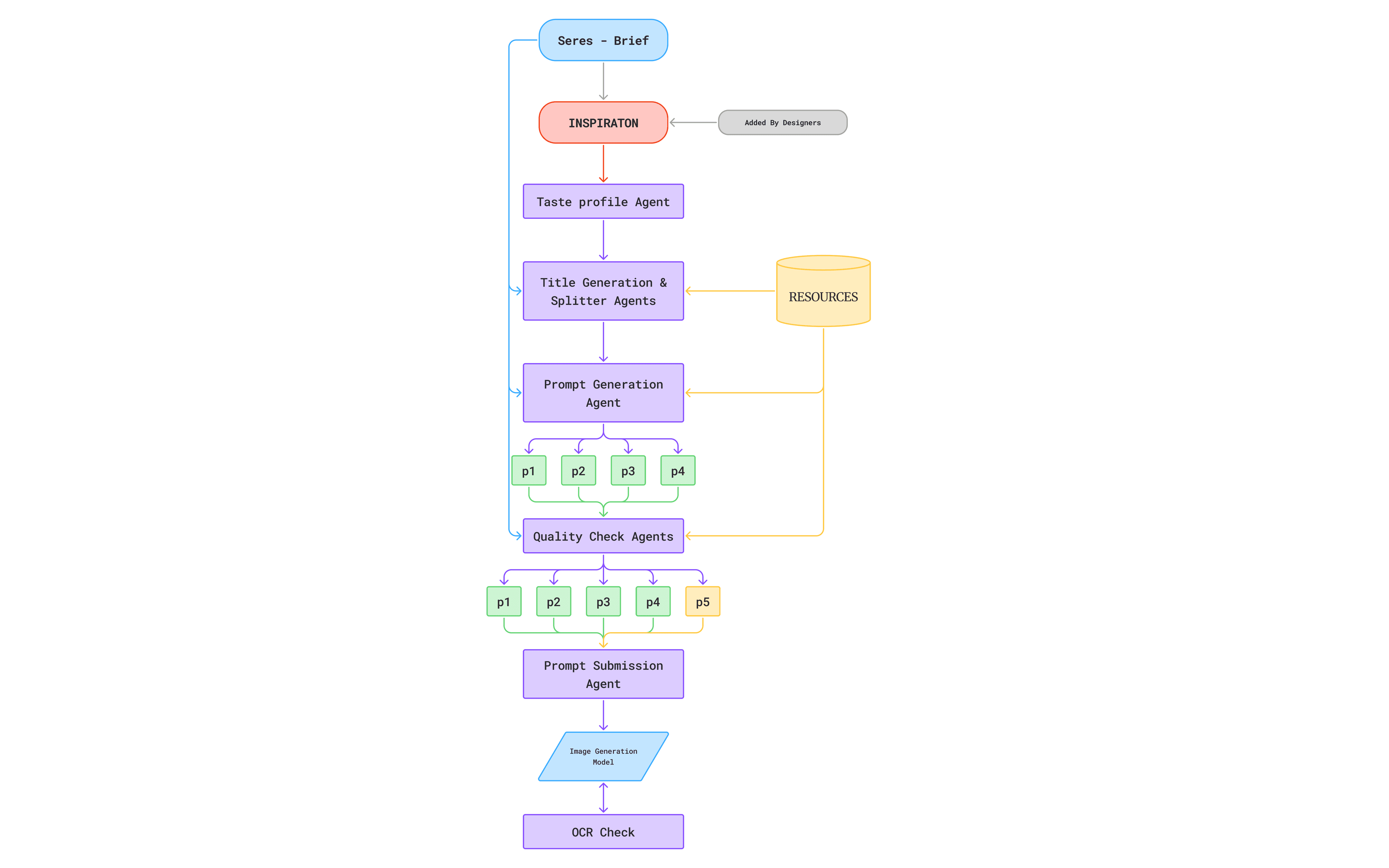
Behind the CMS runs the pipeline I architected agent by agent: Topic Summary → Title Agent → Title Splitter → Web Research → Research Agent → Prompt Generation → adversarial QC → Prompt Submission → post-generation QA. Each agent has a written spec, an assigned model and reasoning effort, and pure-code validation gates between steps — the expensive thinking models are spent only where judgment is needed.
Research & Mood Boards
The deepest creative step runs on the highest-capability model with extended thinking. For each title it mines the actual script for the emotional hook, then produces exactly four visually distinct mood boards — typography, palette, texture, film grade — validated for genuine difference. Each board is anchored to real references from a three-tier inspiration library (70% series-specific, 20% category, 10% global), every image vision-tagged and CLIP-embedded.
Four Variants, Four Intents
- P1 — Human: an emotional subject with muscle-level expression descriptors; faces rotate across a batch so no two episodes share one
- P2 — Object: a hero object filling 40–55% of frame height — no tiny props
- P3 — Free Creative: the agent's open slot, any concept with real environmental depth — flat studio backdrops banned
- P4 — Movie Poster: theatrical key-art in the register of a named film
Craft rules bake into every prompt: a tonal-contrast pair so the title reads, brightness variety across the four, the category's hero color leading, and dignified depiction as a hard rule. Every prompt carries a written reasoning line citing a specific script detail — generic reasoning is auto-rejected.
Adversarial Quality Control
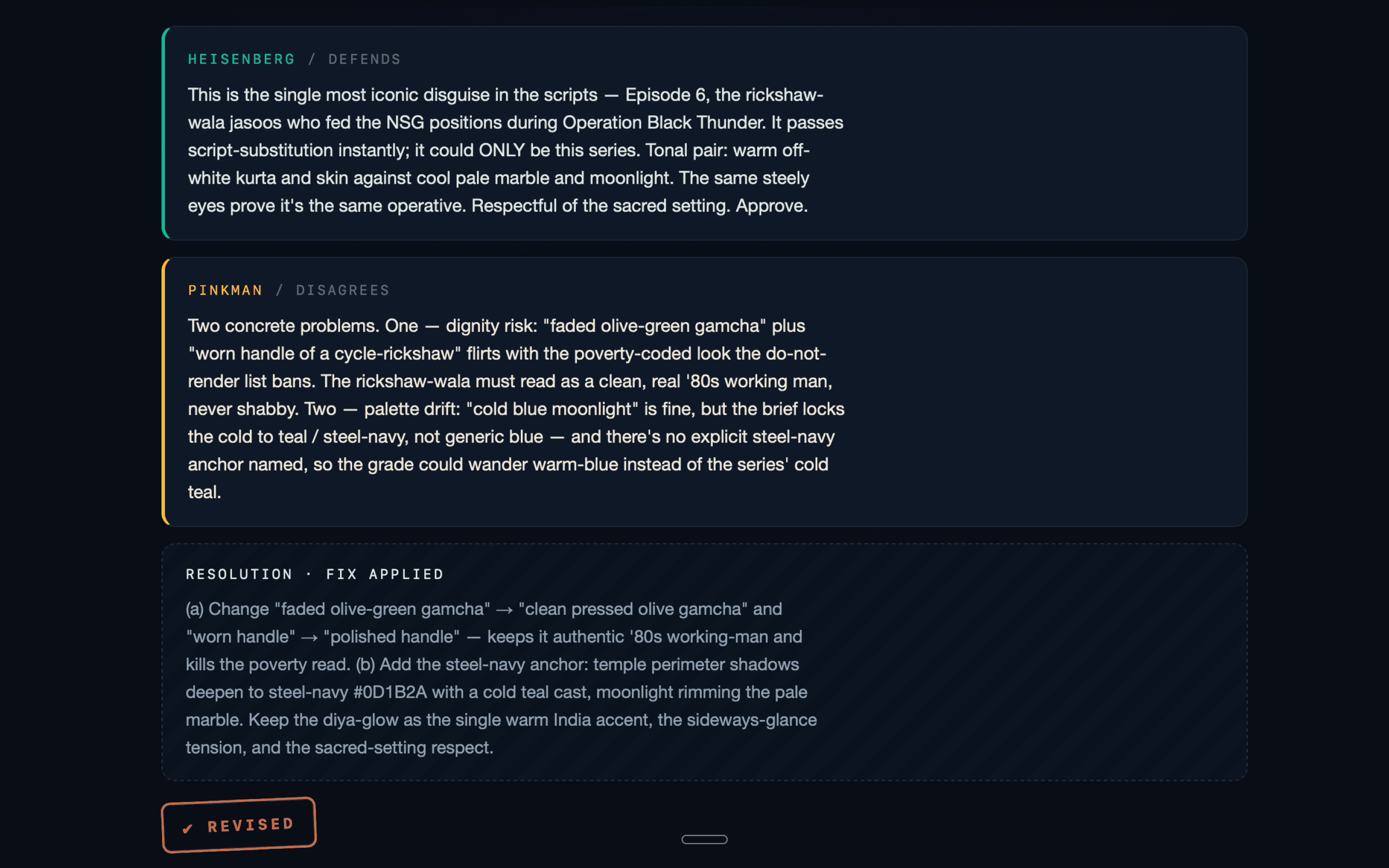
A single AI reviewing its own work rubber-stamps it. So QC is a review board built on structural disagreement: a pure-code validator screens everything first (~70% pass clean to a cheap fast-path), and flagged prompts enter a debate between two personas — Heisenberg and Pinkman — where Pinkman is required to disagree on at least one point per prompt. A blind third reviewer on a different model then judges only the final prompts, no debate context. QC also builds P5: the strongest concept of the four, enhanced with the taste profile and forced to differ from its source on at least three signature fields.
Checking Pixels, Not Just Prompts
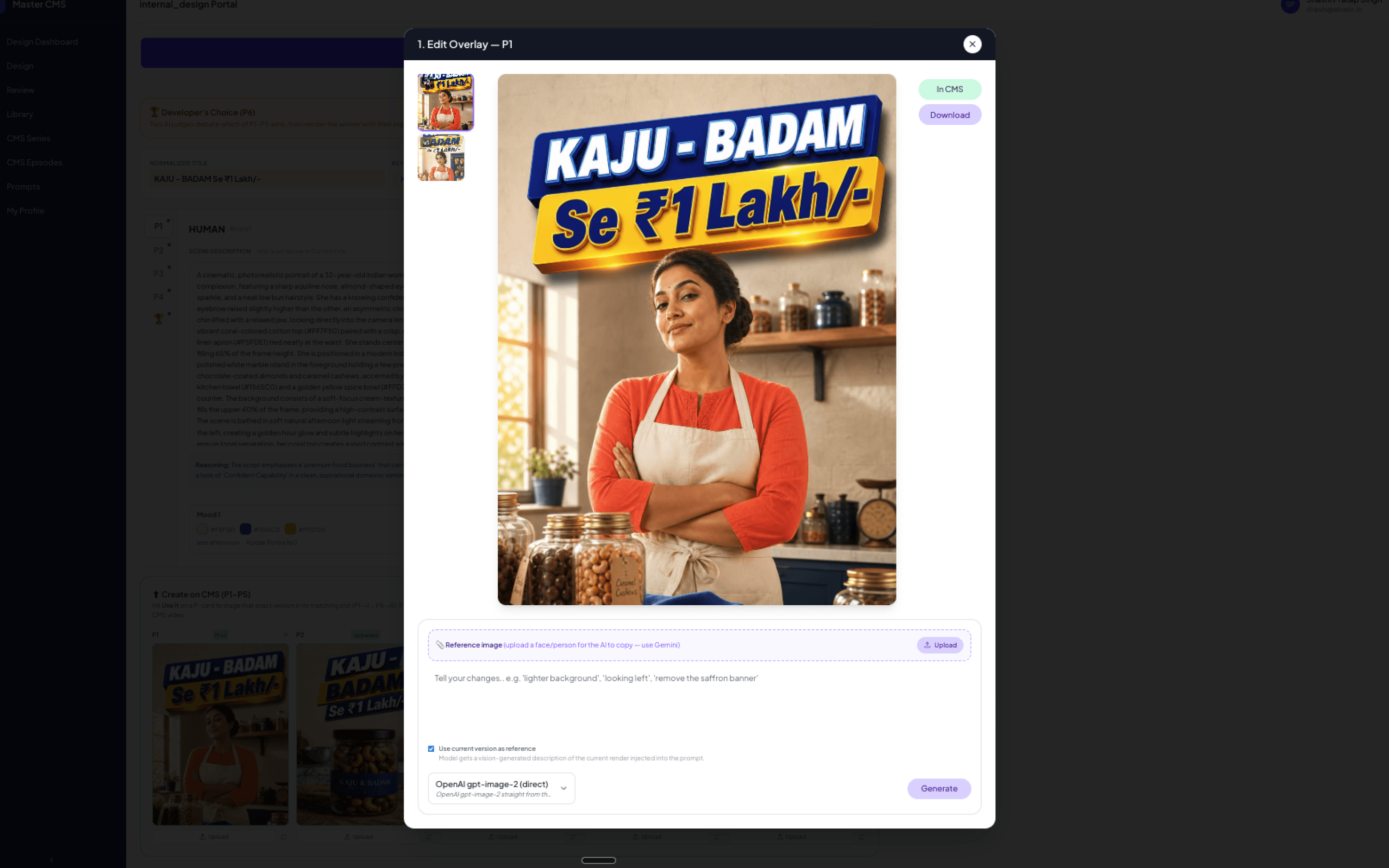
- OCR check — a vision model reads the rendered title off the image; misspellings trigger an auto-retry
- Face-diversity check — batched vision comparison so two episodes never accidentally share a face
- CLIP variety check — local embeddings ensure variants aren't near-duplicates
- Structural audit — title prominence, line count, aspect-ratio verification
And nothing ships broken. Every failed check triggers a rework, not a shrug: a misspelled title goes back to the image model with a stronger spelling directive and re-renders automatically. A prompt that still fails validation after QC is handed to a revision agent with the specific failure reasons injected into its context — it rewrites, revalidates, and gets up to two rounds to fix itself. Only when the machine can't converge does the title get flagged for the human designer, with the full failure history attached. The designer is the escalation path, not the safety net for every error.
Designed for Hand-off
Every title runs in one of three modes: Manual (AI sits idle), Hybrid (AI proposes titles, keywords, and line splits; the designer approves each step), or Full-auto (AI runs brief to submission; the designer reviews at approval). The modes work because of a strict hand-off contract:
- The AI always writes to the same fields a designer would touch — taking over is just “start editing”
- The AI never silently overwrites human input — a diff is shown if it re-runs after a manual edit
- Every AI step writes to the same iteration history the designer uses — anything can be rewound
That history is the Edit Overlay: every model call becomes an iteration node in a thread, and the designer can branch from any past node — jump back to iteration 3, change the prompt or reference, and continue down a new path. Because the AI writes to the same threads, rewinding the machine feels identical to rewinding yourself.
Taste as a System
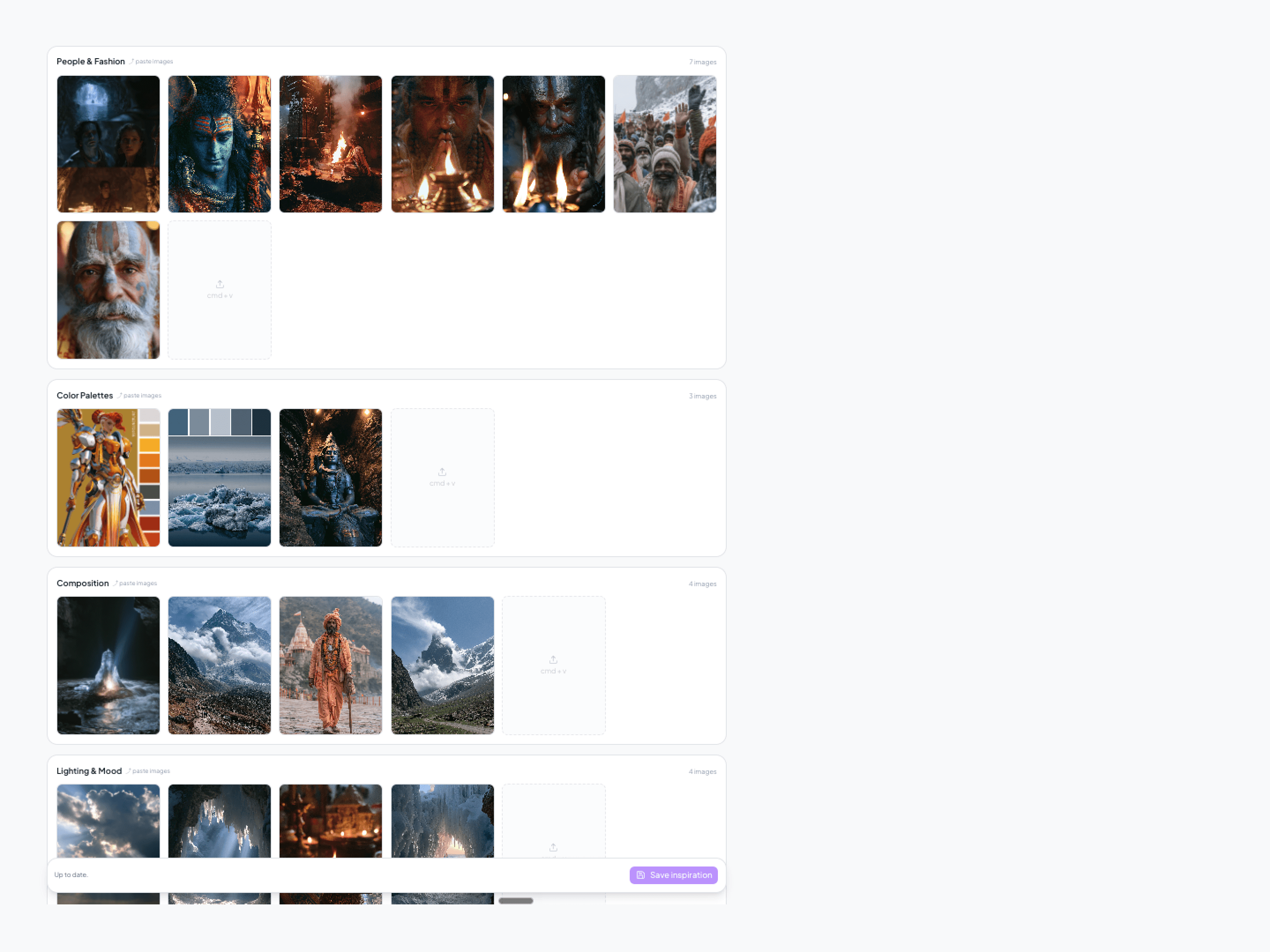
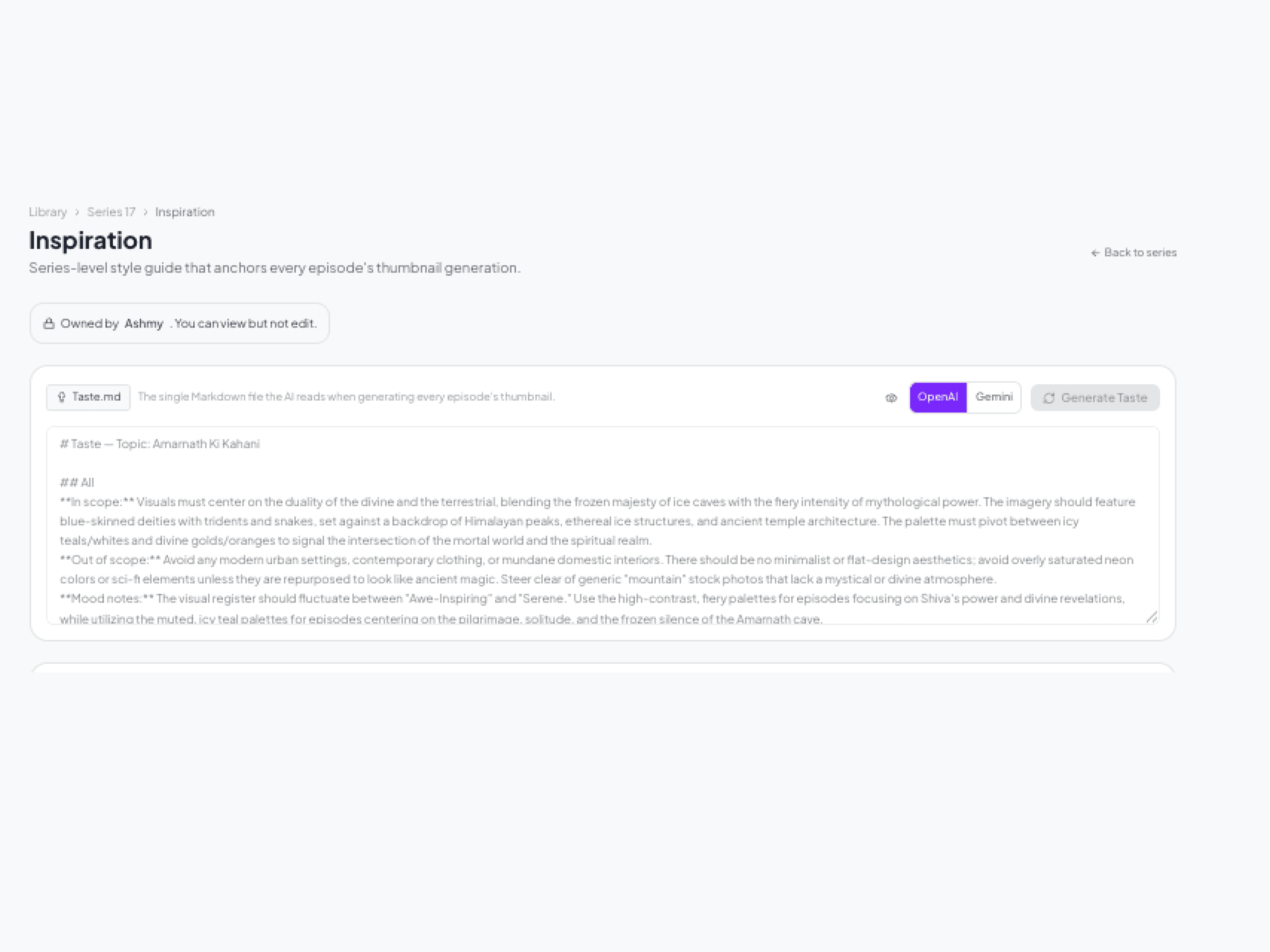
Consistency across a series can't live in a designer's head — it has to be machine-readable. Every series carries seven mood boards (palette, people & fashion, typography, era, composition, lighting, combined) distilled into a taste.md file that auto-recalibrates whenever a board changes. That file is what the AI reads before generating prompts. Eleven locked typography treatments map to categories, a style generator renders a series' actual title in eight premium treatments for one-click locking, and recurring characters get one canonical locked portrait so they're identical in every episode. The loop closes with real performance data: app CTR studies feed top-performer patterns back into the Title Agent and taste anchors.
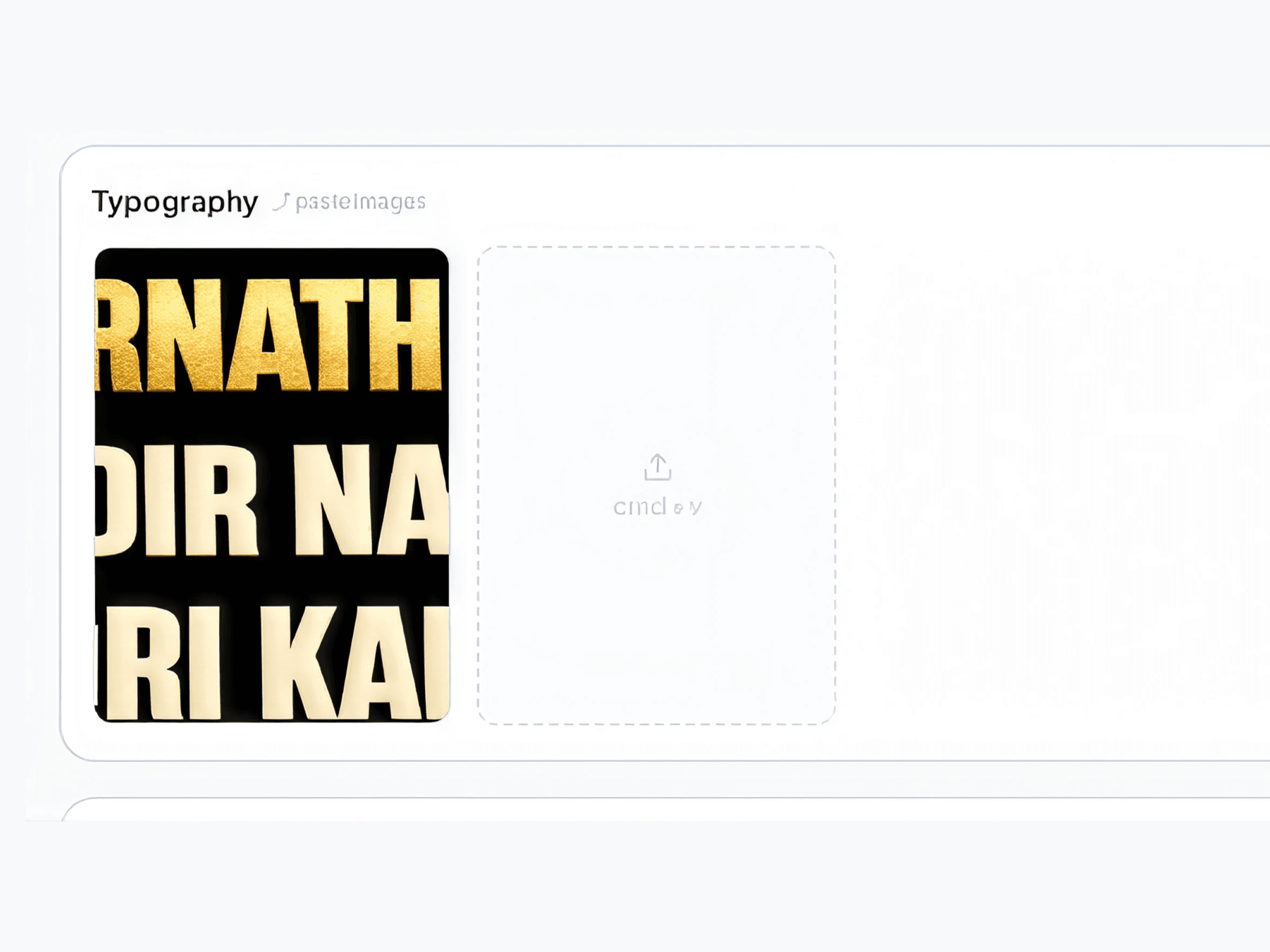
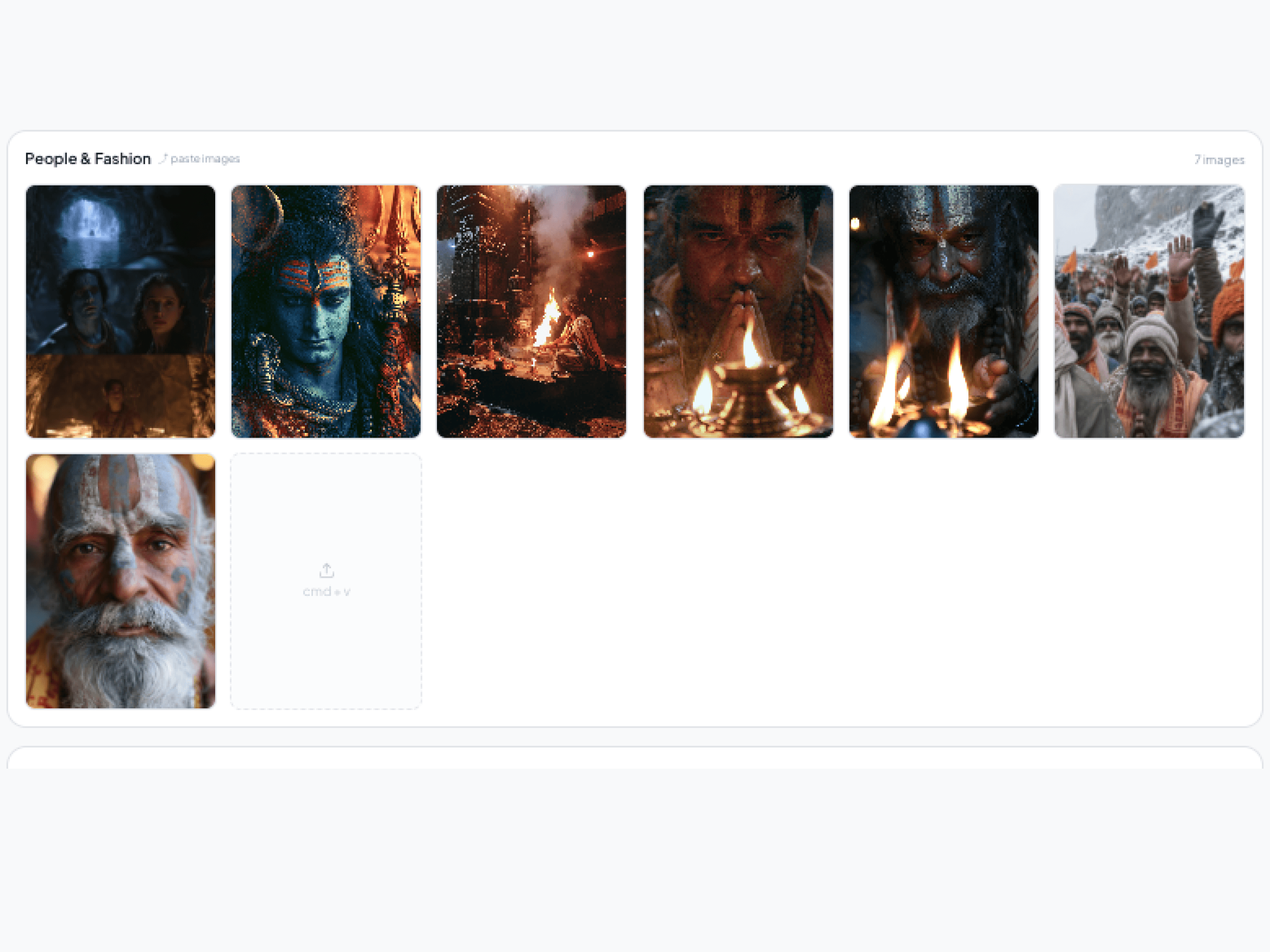
The Inspiration System
- Seven boards per series: Combined (All) · Color palette · People & fashion · Typography · Era & aesthetics · Composition · Lighting & mood
- Designer-first interactions — paste from clipboard, upload, drag to reorder; curating a board is as casual as collecting references anywhere else
- Three tiers behind the boards — Global → Category → Series — every image vision-tagged and CLIP-embedded, growing lazily as new series ship
How it's used: the boards are the human-editable input the whole creative pipeline reads. The Research Agent queries the library with 70/20/10 weighting (series / category / global) so every mood board it proposes is anchored to real approved visuals, not adjectives. Each P-variant in the workspace is pinned to one board — and because boards are editable per variant, the designer holds color-level control: swap P2's board and only P2 shifts from dark-teal night to golden hour. The taste.md distillation reads the same boards, turning curation into machine-readable taste.
The effect: episode 10 of a series looks like it belongs next to episode 1 without anyone policing it; a brand-new series doesn't start from zero because the category and global tiers already know what works; and “make it feel more like us” stops being feedback and becomes something a designer can literally paste into a board.
The Data Rework Loop
None of these resource documents are written once and framed on a wall — everything is designed from data and reworked by data. A weekly performance study reads the app's real numbers (CTR, completion, impressions) and rebuilds the top-20 thumbnail reports; those top performers become the exemplars the Title Agent patterns new titles on and the anchors the Research Agent cites. When the designer changes a mood board, taste.md auto-recalibrates to match. When a new series ships, its approved thumbnails join the inspiration library and start influencing the next series' research. Every published result flows back into the documents that shape the next design — the system's taste doesn't just persist, it learns.
Prototype with Real Production Data
To validate the PRD by clicking rather than reading, I built a zero-framework prototype — vanilla HTML/CSS/JS, a hash router, one shell script to launch — populated with a real ten-episode series that had already run through the full pipeline. A build script compiles nine real pipeline outputs (research JSON, prompt CSVs, QC verdicts, debate logs, generated images, the inspiration library) into one data file, so every screen shows real scripts, real mood boards, real AI titles, and real thumbnails.
10
Real episodes of pipeline data
0
Frameworks or build steps
9
Real data sources compiled
1
Shell script to launch
The PRD That Audited Itself
The spec ends with its own fresh-eyes UX audit, severity-tiered. Critical findings included two status color systems colliding (green meant two different things), a seven-field Title Composer collapsed into one live-editable preview, and “Approval” renamed to a Feedback Inbox because the designer can't approve anything there. It even proposes a radical alternative IA: collapse the whole product into two surfaces — Workbench for everything before go-live, Library for everything after.
The Outcome
The brain runs daily in production. The prototype validated the PRD and became the engineering hand-off package, with the production CMS scoped for the dev team. Now we can generate more than 1000 thumbnails in a day if required by just a push of button, ideation can also be done if necessary.
Measured Impact
5
AI versions A/B-tested against human-made versions for 50 Episodes
70%
Of tests won by the AI version on CTR
+25%
Overall CTR increase
The system wasn't judged on vibes — it was A/B-tested in the Master app. We ran the five AI-generated versions head-to-head against human-made thumbnails on real videos, measured by click-through rate. 70% of the time, the AI version outperformed the human version, and the switch delivered a 25% overall increase in CTR. The performance loop then feeds those winners back into the system as new exemplars — so every test the AI wins makes the next batch a little sharper.
- AI as a coworker beats AI as a sidebar — same fields, same surfaces, same history is what makes take-over effortless in either direction
- Structural disagreement beats a second opinion — requiring reviewers to disagree, then adding a blind reviewer on a different model, catches what any single reviewer rubber-stamps
- Taste has to be machine-readable to compound — mood boards distilled into a file the AI actually reads is what keeps episode 10 consistent with episode 1
Most tools bolt AI on as a chat sidebar. This one gives it a desk.